
Checking your Vodacom number in Tanzania is straightforward and typically involves dialing a specific USSD code or looking at your phone’s settings, a vital piece of information for international travelers navigating the country in 2026-2027. The most common method to find your own Vodacom Tanzania number is by dialing *105# and following the on-screen prompts, which will usually display your number. Alternatively, if you’ve just purchased a new SIM or are having trouble, you can often find your number listed in your phone’s SIM card settings or by asking someone else to call your number.

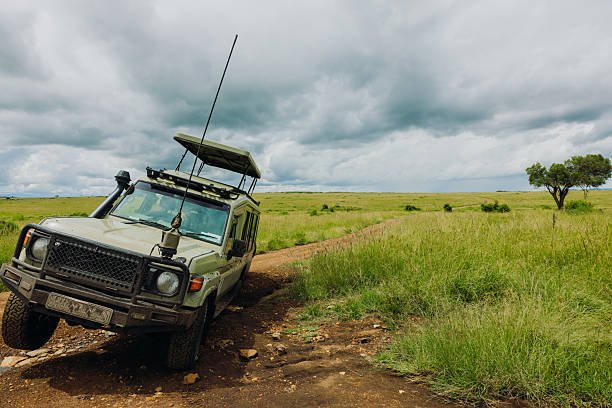
Planning your trip to Tanzania, whether it’s for an unforgettable safari in 2026-2027, a trek up Kilimanjaro, or a relaxing holiday in Zanzibar, requires attention to many details. Among these, staying connected is paramount. For many visitors, obtaining a local SIM card, often Vodacom due to its extensive network coverage, is the most cost-effective way to communicate. But once you’ve got your SIM activated, the immediate question often becomes: how do I find out what my new number actually is? This guide breaks down the process, offering practical advice for international travelers.
Essential Vodacom USSD Codes for Checking Your Number
USSD (Unstructured Supplementary Service Data) codes are the backbone of quick service access on mobile networks worldwide, and Vodacom Tanzania is no exception. These codes allow you to interact with the network directly from your phone’s dialer without needing an internet connection. For the primary task of finding your own number, the most reliable USSD code is *105#. Upon dialing this, your Vodacom number should appear on your screen, often as part of a welcome message or a menu option. It’s wise to jot this number down immediately in your phone’s contacts under ‘My Number’ or a similar label, and also perhaps on a piece of paper you keep with your travel documents, just in case your phone malfunctions.
While *105# is the go-to for checking your number, Vodacom offers other useful USSD codes for managing your account. For instance, checking your airtime balance is typically done via *100#. Knowing these codes can save you time and hassle, especially when you’re out on a safari or trekking in remote areas where Wi-Fi might be scarce. For travelers planning extensive trips in 2026-2027, familiarizing yourself with a few basic USSD codes can significantly enhance your on-the-ground experience. Remember that these codes are specific to Vodacom Tanzania; other networks like Airtel or Tigo will have different codes.
Getting Your Vodacom SIM Card Activated and Ready
Acquiring a Vodacom SIM card is usually the first step after landing at Kilimanjaro International Airport (JRO) or Julius Nyerere International Airport (JNIA) in Dar es Salaam, or even in major towns like Arusha or Moshi. You can purchase SIM cards from official Vodacom shops, authorized resellers, or sometimes even at airport kiosks. Be prepared to present your passport and potentially a copy of your visa for registration, as all SIM cards in Tanzania must be registered with personal identification. This process is mandated by the Tanzanian government for security reasons.
Activation is generally quick. Once you insert the SIM card into your phone, you might receive an activation SMS. If not, you may need to call customer care or visit a shop. To ensure it’s working and to find your number, use the *105# code as mentioned. It’s highly recommended to top up your SIM with airtime and a data bundle immediately after activation. This ensures you can make calls, send texts, and access the internet for navigation or communication, especially vital if you’re heading off on a Tanzania safari or a mountain climb in the 2026-2027 season. For those planning to trek Mount Meru or Kilimanjaro, remember that mobile signal coverage will be limited or non-existent at higher altitudes, but having a working number for base camps and towns is essential.
Understanding Tanzanian Mobile Number Formats
Tanzanian mobile numbers, including those from Vodacom, follow a specific format. They typically start with the country code +255, followed by a network operator code and then the subscriber number. For Vodacom, the numbers usually begin with +255 75x or +255 76x, where ‘x’ represents a digit. When you dial from within Tanzania, you omit the country code and dial the local format, which starts with ‘0’ followed by the network code (e.g., 075x or 076x). So, if your number is +255 753 123 456, you would dial 0753 123 456 from another Tanzanian mobile.
Understanding this format is useful not only for giving your number out to locals or fellow travelers but also for recognizing incoming calls. If you see a number starting with 075 or 076 calling you, you know it’s likely a Vodacom number within Tanzania. This can be helpful if you’re coordinating meetups or relying on local contacts during your travels. For international travelers, ensuring your phone is unlocked to accept SIM cards from any provider is a prerequisite before you even purchase a Tanzanian SIM. Most modern smartphones are unlocked, but it’s always best to confirm this with your home provider before departing.
Managing Your Vodacom Account: Credit, Data, and More
Once you know your Vodacom number, managing your account becomes the next priority. To check your airtime balance, dial *100#. This will bring up a menu where you can select options for checking balance, purchasing bundles, and more. Vodacom offers various bundles for voice calls, SMS, and data, which are often more economical than using pay-as-you-go rates.
To purchase data bundles, you can typically dial *147# and follow the prompts to select a bundle that suits your needs and budget for your 2026-2027 trip. These bundles range from daily to monthly options. You can also recharge your account or buy bundles for other Vodacom numbers using scratch cards available at most shops and kiosks. When purchasing scratch cards, ensure you buy the correct denomination and that it’s for Vodacom Tanzania. To use a scratch card, dial *102*#.
For travelers concerned about internet connectivity, especially during safaris or treks, Vodacom’s data coverage is generally good in major towns and along popular tourist routes. However, as you venture into national parks like the Serengeti, Tarangire, or the Ngorongoro Conservation Area, signal can be intermittent. For critical communications or in areas with no signal, consider offline maps or satellite communication devices if your itinerary involves remote exploration. If you’re planning a 7-day safari in Tanzania, having a reliable data plan is great for sharing photos, but don’t rely on it for essential communications in the wild.
Troubleshooting Common Vodacom Connectivity Issues
Despite Vodacom’s extensive network, travelers might occasionally face connectivity issues. The most common reasons include poor signal strength in remote areas, a deactivated SIM card, or an issue with your phone’s settings. If you can’t make calls or access data, first try restarting your phone. This simple step often resolves temporary network glitches.
If restarting doesn’t work, check your phone’s network settings to ensure it’s set to search for networks automatically and that Vodacom Tanzania is selected. If you’ve recently traveled between regions or crossed borders, your phone might be trying to connect to a different network. Also, verify that your mobile data is enabled and that you have an active data bundle. You can check your balance and bundle status using the USSD codes mentioned earlier.
If problems persist, contacting Vodacom customer care is the next step. You can usually reach them by dialing 100 from your Vodacom number or +255 774 100 100 from any phone. They can help troubleshoot SIM card issues, network problems, or account queries. For travelers who are not fluent in Swahili, it’s helpful to have a translation app or a local contact who can assist with communication, as customer service might primarily operate in Swahili. For general connectivity tips in Tanzania, including how to manage WhatsApp issues, refer to our guide on Whatsapp Not Working in Tanzania.
Choosing the Right Vodacom Plan for Your Trip
Selecting the appropriate Vodacom plan is key to managing your communication costs and ensuring you have the services you need throughout your stay in Tanzania in 2026-2027. Vodacom offers a range of prepaid packages. For short-term visitors, daily or weekly data bundles are often the most practical. These can range from small bundles for essential messaging and occasional browsing to larger bundles for more frequent internet use.
Consider your itinerary when choosing a plan. If you’re primarily staying in cities like Arusha or Dar es Salaam, or on Zanzibar’s popular beaches, you’ll likely find excellent coverage and might not need the largest data package. However, if your travels take you deep into national parks for extended periods, or if you’re planning to use your phone for work or extensive social media updates, a more robust plan might be necessary. Always check the validity period of the bundle you purchase. Some daily bundles expire after 24 hours, while weekly or monthly bundles offer longer durations.
For travelers interested in combining their communication needs with other services, Vodacom also offers integrated packages that might include voice minutes, SMS, and data. It’s worth exploring these options via the *147# menu to see if they offer better value for your specific travel style. Remember that prices and package details can change, so always confirm the latest offers directly through Vodacom’s USSD menus or their official website.
smooth Travel with Reliable Communication
Ensuring you can check your Vodacom number and manage your SIM card effectively is a small but significant part of a well-planned trip to Tanzania. Reliable communication enhances safety, convenience, and the overall enjoyment of your adventure, whether you’re on a Kilimanjaro trek, exploring the vast plains of the Serengeti, or soaking up the sun on Zanzibar’s coast in 2026-2027.
At Top Guide Adventures, we understand the importance of staying connected. While we focus on organizing your safari, treks, and holidays, we also aim to provide practical advice that smooths your journey. If you’re planning your next Tanzanian adventure and want personalized support, including advice on local logistics like SIM cards and connectivity, don’t hesitate to reach out. We can help tailor your itinerary to ensure you have the best possible experience, from the moment you land until your departure.
Ready to plan your dream Tanzanian safari or climb? Get in touch with our expert team today. You can reach us via email at topguideadventures@gmail.com or connect with us on WhatsApp at +255 616 946 642. Let us help you create an unforgettable journey through Tanzania.
Check Availability for How To Check Vodacom Number In Tanzania – Sim Card Tips For International
Ready to compare dates, prices, and the best option for your group? Send the package name and travel month so the team can reply with a clear quote, availability, and what is included.
Whatsapp Not Working In Tanzania: Connectivity Tips For Travelers 2026-2027
Traveling to Tanzania and worried about WhatsApp connectivity? This guide provides practical solutions for when WhatsApp isn't working, covering SIM cards, Wi-Fi, and essential tips for…

Internet And Sim Cards In Tanzania: Esim, Vodacom, Airtel, Safari
Connecting in Tanzania: This guide covers eSIM, local SIM cards (Vodacom, Airtel), and staying online during safaris. Essential planning for your 2026-2027 trip.
No closely related package is available yet for this topic.